

Deleting a file or formatting a drive doesn’t remove the data. The operating system only marks that space as available, so the information stays on the disk until it is overwritten. Free recovery tools can often bring it back in minutes. Data shredding solves this by destroying the storage itself. This guide explains how it works for each type of media, how it compares with data wiping, and how to arrange it in London.
What is Data Shredding?
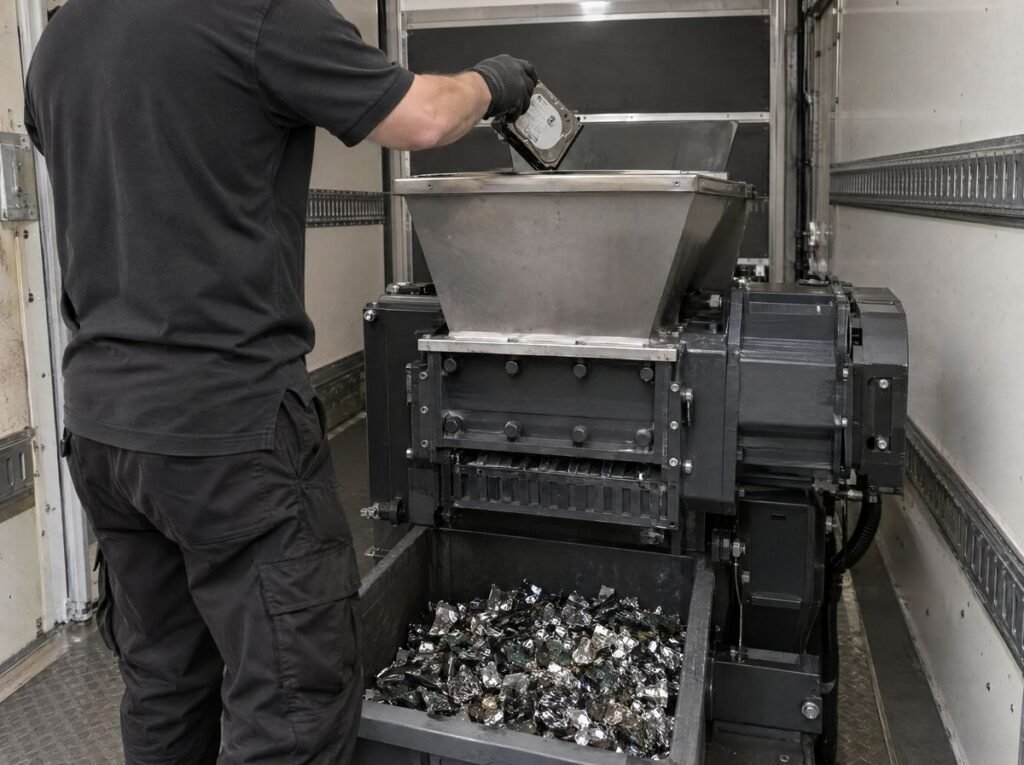
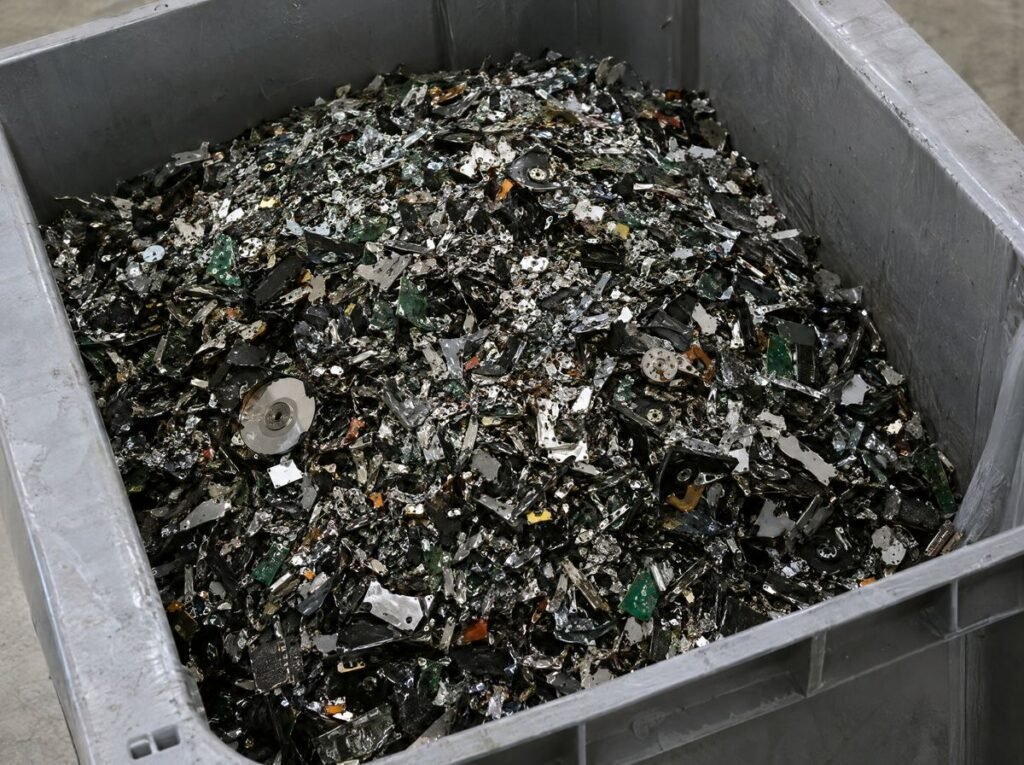
Data shredding is the process used to physically destroy storage media, such as hard drives, SSDs, USB sticks, tapes and optical disks. An industrial shredder cuts them into fragments so the data can’t be read or reconstructed.
“File shredder” software is different. It overwrites individual files on a working computer, but it depends on a healthy drive and a program that reaches every sector. Physical shredding has no such limits, which is why professional data destruction services use it for end-of-life equipment. The National Cyber Security Centre’s guidance also recognises destruction as a way to make sure data can’t be read once media leaves your control.
How Data Shredding Works For Computers and Disks
The right approach depends on how each device stores data.
Hard drives (HDDs) record data magnetically on spinning platters. Those patterns survive formatting, so shredding cuts the platters apart and nothing readable is left.
SSDs, USB sticks and phones store data on flash memory chips. To extend their life, they spread data across cells and keep hidden spare areas, known as over-provisioning, that the computer can’t address. Shredding destroys the chips, including those hidden areas.
Tapes, CDs and DVDs hold data on magnetic film or a reflective layer, and are shredded so no section can be read. See our guide to data tape disposal.
We also shred external drives, servers, routers, RAID drives, floppy disks and video tapes.
Good IT data destruction keeps a clear chain of custody:
- Each drive is logged.
- The drive is shredded or crushed beyond recovery.
- A certificate of destruction lists the serial numbers.
- What’s left is recycled under WEEE regulations.
Data Shredding vs Data Wiping And Degaussing
Data wiping overwrites a drive with software, so it can be reused or resold. It needs a working drive and a verified process. It is less reliable on SSDs, because software can’t always reach the hidden areas.
Degaussing scrambles magnetic media with a strong magnetic field. It has no effect on SSDs or flash memory. Read more in our guide to degaussing and hard drive disposal.
Shredding works on every media type, including failed or damaged drives. It is the safest choice for an IT refresh, an office move, ending a lease, or getting rid of old backups.
Why Secure Data Disposal Matters
Under the UK General Data Protection Regulation (UK GDPR), personal data must be kept secure until it is destroyed. A drive that leaves your business with readable data is a breach of data security, even if it was retired years ago.
Secure data disposal, backed by a certificate, gives you the audit trail to prove the data was destroyed. For a wider look at your legal duties, read our secure data destruction guide. For whole devices, see our IT equipment disposal service.
On-site or Offsite Data Destruction in London
On-site. Our mobile hard drive shredding unit destroys drives at your premises, so they never leave your control. Your team can witness it, and our trucks have security cameras that record the shredding.
Offsite. For larger volumes, offsite data destruction in London is usually more cost-effective. Devices travel in tamper-proof containers inside a GPS-tracked vehicle that makes no stops on the way to our secure facility. The facility has 24/7 CCTV and restricted access, and we cover all of Greater London. See our off-site shredding services.
Why Choose Total Shred For Computer Data Destruction
Not all data destruction services work to the same standard. Total Shred offers:
- Destruction to BS EN 15713
- Staff vetted to BS 7858 with Enhanced DBS checks
- ISO 9001 and ISO 14001 certification
- A serial-numbered certificate of destruction for every job
- Photo or video evidence on request
- WEEE-compliant recycling
Hard drive shredding starts from £5 per device.
Book data shredding today
If you need to physically destroy old drives, see our hard drive destruction service, call 0800 298 4009, email shred@total-shred.com, or request a quote.
FAQ
What is data shredding?
Data shredding is the physical destruction of storage devices such as hard drives, SSDs, USB sticks and disks. An industrial shredder cuts them into small fragments so the data can never be recovered.
Is file shredder software the same as data shredding?
No. File shredder software overwrites files on a working computer, and it only works if the drive is healthy. Physical data shredding destroys the device itself, so nothing can be recovered.
Can SSDs be shredded?
Yes. SSDs store data on memory chips that wiping software may not fully reach. Shredding destroys the chips, so the data is gone for good.
Do you offer offsite data destruction in London?
Yes. We collect devices in tamper-proof containers and transport them in GPS-tracked vehicles, with no stops, to our secure facility. We cover the whole of Greater London.
What proof do I get after data shredding?
You receive a certificate of destruction that lists the serial numbers of the drives destroyed. Photo or video evidence is also available on request.