

Every filing cabinet is a cost. It takes floor space, it slows down retrieval, and it holds personal data you are still responsible for.
When you digitise paper documents, that problem goes away. You convert the files to searchable digital copies. Then you decide what happens to the paper. Done properly, the digital copy carries real evidential weight. The originals can go.
This guide covers the whole process. What good scanning looks like. What indexing does. Whether a scan stands up legally in the UK. And when you can safely shred the originals.
Total Shred runs secure document scanning and shredding under one roof. The paper never changes hands twice.
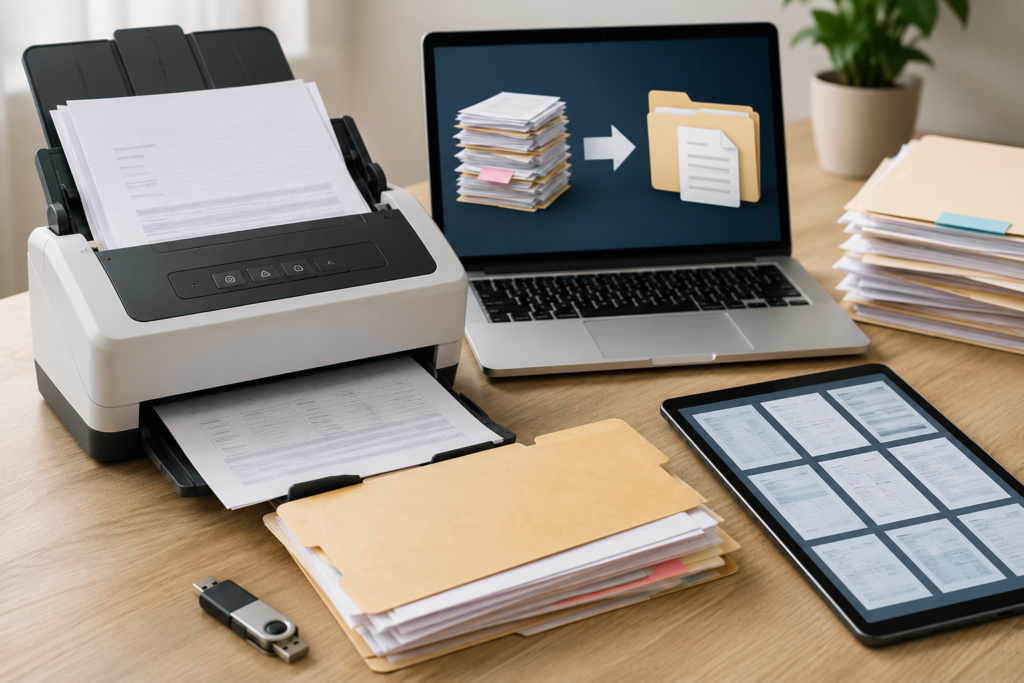
What Digitising Paper Documents Actually Involves
Six stages, in order. Skip any of them and the project usually has to be redone.
- Collection. Files are boxed and moved to a secure site. Or scanned at your place, if the records cannot leave.
- Prep. Staples, clips, tags and bindings come out. Torn pages get repaired. This is the slow stage, and it sets the quality of everything after it.
- Scanning. Pages are captured on big production scanners, at a set dpi and colour depth.
- Indexing. Files are named, tagged and sorted so you can find things later.
- Delivery. Files arrive on encrypted media or by secure transfer.
- The originals. Store them, or destroy them under a Certificate of Destruction.
Total Shred handles all six. Most firms do the middle four and leave the ends to you.
Why Organisations Digitise Paper Documents
Saving space is the obvious reason. It is rarely the strongest one.
- Speed. Finding a paper file means walking to a cabinet. Finding a digital one takes seconds, from anywhere.
- Access requests. Under UK GDPR you usually have one month to reply. Hunting through boxes in a basement inside that month is hard.
- Fire and flood. Paper does not survive either. A backed-up digital archive does.
- Sharing. Ten people can open the same file at once. Nobody has to courier a folder.
- Cost. Box storage is charged every month, forever. Scanning is charged once.
- Security. Digital files can be locked down by role. A filing cabinet opens for anyone in the room.
What You Can Scan
Most paper records scan without trouble. Total Shred’s scanning and archiving services cover:
- Invoices, receipts and finance files
- Staff and HR files
- Medical notes and patient files
- Contracts, legal papers and case files
- Student records and exam papers
- Old archives and microfiche
- Large drawings and plans
Bound volumes, fragile paper and oversized items need a decision first. Flag them early, not mid-run.
Scan Quality: Resolution, Colour and File Format
This is where cheap projects fail. A scan you cannot read is worse than the paper, because you have thrown the paper away.
Resolution. 200 dpi is enough for clean, modern typed pages. 300 dpi is the safer default and is what most archives work to. Anything with small print, faint carbon copies, handwriting or fine drawings should be captured at 300 dpi or higher. You cannot add detail later.
Colour. Black and white produces the smallest files and suits plain text. Greyscale preserves faded pencil and stamps. Full colour matters when the colour itself carries meaning. Think medical charts, annotated contracts, or a coloured signature or seal.
File format. PDF is the working standard. For anything you plan to keep long term, ask for PDF/A. That is the archival version, specified in ISO 19005. It embeds fonts and blocks features that stop a file opening in twenty years. TIFF is still used for image archives.
OCR. Optical character recognition turns the picture of a page into searchable text. Without it you have a digital filing cabinet you still cannot search. Accuracy depends on scan quality. That is why resolution and OCR are really one decision.
Indexing: The Part People Underestimate
Scanning creates images. Indexing makes them findable.
Agree the structure before the first box is opened. Decide what each file is named, which fields are captured, and how folders are arranged. Common index fields are account number, surname, date, department and document type.
Ask for a test file before the full run. Total Shred provides one for review. You check naming and quality against a real sample rather than a promise. Fixing a naming convention after 200,000 pages is expensive. Fixing it after 200 is free.
Are Scanned Documents Legally Valid In The UK?
Usually, yes. The question comes up on every project. The answer is more settled than people expect.
The standard to know is BS 10008-1:2020. It is the British Standard on evidential weight and legal admissibility of electronically stored information. It absorbed the older BIP 0008 codes of practice on document scanning. Those now sit in Part 2 of the 2020 standard.
BS 10008 is not only about scanning. It is a management system. It covers authenticity, integrity, availability, audit trails, encryption and electronic signatures. It applies to scanned records and to files that were digital from the start.
One honest caveat. Working to BS 10008 strengthens the evidential weight of a scan. It does not guarantee a court will accept it. Courts keep discretion over evidence. What it does is put you in a far stronger position to show the record is trustworthy. That is usually the point in dispute.
So three things matter in practice. A documented scanning process. An audit trail linking each image to its original. Controlled storage afterwards. A scan with no process behind it is easy to challenge.
Which Originals You Should Keep Anyway
Going digital does not mean shredding everything. Some papers carry legal weight in their paper form. A scan is only a copy.
Keep the originals of:
- Wills
- Title deeds, where the property is not registered online
- Powers of attorney
- Share certificates
- Anything signed as a deed or under seal
- Birth, marriage and death certificates
- Certificates of incorporation
- Anything a regulator asks for in paper form
- Anything tied up in a live case or enquiry
The rest is fair game once it is scanned and checked. If a paper sits in a grey area, take advice first. Shredding is the one step you cannot undo.
Scan and Shred Services: What Happens To The Paper
Scan and shred means one provider digitises the records and destroys the originals afterwards. That matters more than it sounds.
Every extra handover is a risk. Say a scanning bureau ships your originals to a separate shredding firm. Your files now sit in a second van, on a second site, under a second chain of custody. Two companies hold your data. Only one is on your contract.
With Total Shred the paper stays inside one process. Files are collected, prepared, scanned, indexed and delivered. The originals are then destroyed under the same chain of custody. You get a Certificate of Destruction covering them.
Shred after verification, never before. Check the test file. Check the index. Confirm the images open and read correctly. Only then release the originals. The order is simple: scan, deliver, verify, sign off, destroy.
This is what document scanning and shredding services should look like. One provider, one chain of custody, one certificate.
Digitising Does Not Reset Your Retention Clock
A common and expensive mistake. Scanning changes the format, not the obligation.
Under UK GDPR, personal data must not be kept longer than necessary. That applies to the digital copy just as it applied to the paper. Scan ten years of HR files and keep them forever because storage is cheap, and you have turned a filing problem into a compliance problem.
HMRC takes the same view from the other side. Records can be kept on paper, digitally or in software. They just have to stay accurate, complete and accessible if HMRC asks to see them. Format is your choice. Retention is not.
So build deletion into the project. Agree a retention period per document type. Write it down. Set the digital archive to enforce it. Digitisation is the right moment, because you are touching every file anyway.
On-site or Off-site scanning
Off-site is the default. Files are boxed up, collected, and worked on at a dedicated site. The scanners are bigger and the staff do this all day. It is faster, cheaper per page and gives better results.
On-site scanning happens at your premises. It costs more and runs slower, because the equipment and staff come to you. It is the right answer when records cannot leave the building. Live medical files, security-cleared material, or archives an institution is not allowed to move.
Total Shred offers both. For most projects, off-site with a secure collection is the sensible choice.
Planning a Digitisation project
Three things decide how long it takes: volume, condition and indexing depth.
Volume is straightforward. A standard archive box holds roughly 2,000 to 2,500 sheets, so box counts give a usable estimate.
Condition is the variable that surprises people. Heavily stapled, tagged or bound files can take longer to prepare than to scan. Old, brittle or damp paper is slower again.
Indexing depth is the one you control. Capturing one field per document is quick. Capturing eight fields per document multiplies the work.
A sensible sequence for a first project:
- Pick one record type rather than the whole archive.
- Run a pilot of a few boxes end to end.
- Check the images, the index and the file naming.
- Agree retention and deletion rules.
- Scale up, with destruction of originals following verification.
What Document Digitisation Costs
Scanning is priced per page or per box. Prep work and indexing are what move the number.
Prices go up with heavy stapling, poor paper, colour, higher dpi, more index fields and a tight deadline. Prices come down with volume, because setup is a fixed cost spread over more pages.
Make the quote spell out what is included. Preparation. Scanning. OCR. Index fields. Delivery format. What happens to the originals. A quote that says only “scanning” is where disputes start.
Total Shred quotes bulk and ongoing scanning projects up front, including the destruction of originals where you want it.
How To Choose a Document Scanning Partner
Ask five questions. The answers separate the serious providers quickly.
Do you work to BS 10008?
It is the standard that matters for legal admissibility in the UK. A blank look tells you the process behind the scans is not documented.
What is your chain of custody?
Ask who handles the boxes and how they are tracked. Ask whether vehicles are monitored and staff are vetted. Total Shred vets drivers to BS7858 with enhanced DBS clearance, and provides chain-of-custody logs.
Can I see a test file first?
Any provider confident in their output will show you one before the full run.
What resolution, format and OCR do I get?
This is the heart of secure document scanning. Vague answers here become unreadable archives later.
Who destroys the originals?
If it is a third party, ask to see their certification too. If it is the same company, you have one chain of custody and one certificate.
Document Archiving After Digitisation
Scanning is not the end of the job. Document archiving carries on long after the scanner stops.
- Keep at least one backup, held separately from the working copy.
- Control access by role. Not everyone needs the HR archive.
- Keep the audit trail that links each image to its original.
- Review the format every few years. PDF/A ages well. Proprietary formats do not.
- Apply the retention rules you agreed, and actually delete when they expire.
If you would rather keep the paper too, Total Shred stores originals in a secured warehouse. Scanning and document archiving are not either/or. What to avoid is storing forever, by default, with no retention rule.
Digitise Your Paper Documents With Total Shred
Total Shred scans records for schools and universities. Also for the NHS and private clinics, law firms and accountants, councils and housing associations, and firms clearing out old archives.
Secure document scanning, indexing, encrypted delivery and safe destruction all sit under one roof. A Certificate of Destruction closes the job. Tell Total Shred what you have and what you need to keep. The rest gets planned around it.
FAQ
What does it mean to digitise paper documents?
Digitising means converting physical files into digital copies you can search, share and back up. The full process covers collection, preparation, scanning, indexing, secure delivery, and a decision about what happens to the originals.
Are scanned documents legally valid in the UK?
In most cases yes. BS 10008-1:2020 is the British Standard covering evidential weight and legal admissibility of electronically stored information, and it absorbed the older BIP 0008 scanning codes of practice. Following it strengthens the evidential weight of a scan. It is not an absolute guarantee, because courts keep discretion over what evidence they accept.
Can I shred the originals after scanning?
Usually, once the scans have been verified. Check the images and the index first, sign the project off, and destroy the paper afterwards. Some documents should be kept in original form, including wills, deeds, powers of attorney and anything involved in live litigation.
What are scan and shred services?
Scan and shred means one provider digitises your records and then securely destroys the originals. Keeping both stages with one company means one chain of custody and one certificate, rather than shipping your files to a second firm after scanning.
What resolution should documents be scanned at?
200 dpi is adequate for clean typed pages. 300 dpi is the safer default and suits small print, handwriting, faded copies and drawings. You cannot add detail after the fact, so scan higher when the paper is poor.